
AI Study Tool
AI Study Tool vs AI Chatbot: Which Is Better for Exam Revision?
A practical, research-backed comparison of AI study tools and general chatbots for notes, active recall, practice questions, feedback, and exam preparation.

Short answer: for exam revision, a purpose-built AI study tool is usually the better main workspace. It can keep your course material together and turn it into notes, flashcards, practice questions, feedback, and repeat review. A general AI chatbot is often better as a flexible helper when you need a fresh explanation, an example, or a follow-up question. The strongest approach is not “tool or chatbot.” It is study tool first, chatbot second.
That distinction matters because exam revision is not the same task as getting an answer. Revision asks you to organise a syllabus, work from the right sources, retrieve ideas from memory, find gaps, and return to weak topics before the exam. A chat window can help with parts of that process, but it does not automatically create the process.
This guide compares both options without pretending that either one is perfect. It is written for students in the United States and United Kingdom, but the decision framework works for most school, college, university, professional, and competitive exams.
AI study tool vs AI chatbot: the quick comparison
| Revision need | AI study tool | General AI chatbot | Better default |
|---|---|---|---|
| Work from your own notes or textbook | Keeps source material attached to one study set | Can use pasted or uploaded context, but the session may be temporary | AI study tool |
| Create flashcards and quizzes | Usually built into the workflow | Possible with a prompt, but formatting and tracking vary | AI study tool |
| Ask an unexpected follow-up | Depends on the tutor feature | Usually fast and flexible | AI chatbot |
| Track what you got wrong | Can store attempts, scores, and weak areas | Usually requires you to track this yourself | AI study tool |
| Revise across several days | Designed around saved sets and repeat sessions | Easy to lose structure across separate chats | AI study tool |
| Get a simple analogy | Often available through an AI tutor | Excellent when prompted well | Either |
| Protect against made-up facts | Better when answers are grounded in uploaded sources | Needs careful source checking | AI study tool, with verification |
| Brainstorm an essay plan | Useful if the source set is relevant | Very flexible for early ideas | AI chatbot |
| Simulate an exam | Can create a saved test with one question at a time | Can role-play an examiner, but needs setup | AI study tool |
| Start with no setup | Requires a file, link, text, or study set | Ask a question immediately | AI chatbot |
If your goal is one answer in the next two minutes, open a chatbot. If your goal is to remember a semester’s material next Thursday at 9:00 a.m., use a structured study system.
What counts as an AI study tool?
An AI study tool is software designed around learning tasks rather than open-ended conversation alone. A useful study AI tool normally accepts your material—PDFs, lecture slides, class notes, a web link, a video transcript, or pasted text—and creates study outputs from that source.
Those outputs may include a clean summary, detailed notes, flashcards, multiple-choice questions, fill-in-the-blank practice, a mind map, a written test, and an AI tutor that stays connected to the same material. The important feature is not the number of buttons. It is continuity. The source, the practice activity, and the result belong to the same study set.
That continuity solves a common revision problem. Students often have a PDF in one tab, handwritten notes on a desk, flashcards in another app, a chat in a third app, and no simple record of what they still cannot recall. A study tool tries to turn those loose pieces into one loop.
What counts as an AI chatbot?
A general AI chatbot is a conversational assistant built to handle many kinds of request. You can ask it to explain mitosis, compare two court judgments, correct a paragraph, make a mnemonic, translate a definition, or play the role of an examiner. It is broad, quick, and adaptable.
That flexibility is valuable. It also means the student must design the learning workflow. The chatbot does not necessarily know which specification you follow, which chapters your lecturer excluded, what you answered incorrectly yesterday, or whether the explanation it just gave matches your approved course material. You need to provide context, set constraints, save useful outputs, and verify important claims.
In other words, a chatbot can be a strong study partner, but the student is usually the project manager.
What exam revision actually requires
Good revision is not measured by how long a page stayed open. It is measured by whether you can retrieve and use the knowledge when the source is no longer visible. That requires several different jobs.
1. Define the examinable scope
You need to know what is in and out: modules, chapters, learning outcomes, formulae, case studies, practical skills, and command words. A confident answer about the wrong topic is still wasted revision.
2. Build an accurate knowledge base
Your core material should come from trusted sources such as the syllabus, teacher guidance, lecture notes, assigned reading, official specifications, and recognised textbooks. AI can help organise these sources, but it should not quietly replace them.
3. Compress without deleting meaning
Revision notes must be shorter than the source while preserving definitions, relationships, conditions, exceptions, examples, and steps. A summary that removes the difficult detail may feel easy to read and still leave you unprepared.
4. Retrieve from memory
Closing the source and trying to answer is the uncomfortable part—and the useful part. Karpicke and Blunt’s research found that retrieval practice produced more learning than elaborative study with concept mapping for the material they tested. The lesson is not that every concept map is bad. It is that attempting to retrieve knowledge deserves a central place in revision.
5. Receive feedback
A wrong answer is useful only when you correct it. Feedback should show what was missing, why an option was wrong, what a complete answer needs, and where the supporting information came from.
6. Return to weak areas
One successful answer does not prove long-term memory. Revision needs repeated contact over time, especially for topics that remain slow, incomplete, or confused.
7. Practise the form of the exam
Knowing a topic and performing under exam conditions are related but different. Students need timed responses, calculation practice, source analysis, essay planning, short-answer precision, and familiarity with mark schemes or rubrics.
Why an AI study tool is usually better for exam revision
It starts with a study set, not an empty prompt
The blank chat box is powerful, but it makes every session begin with a design decision. What should you ask? How much context should you paste? What format do you need? Where will the useful answer go afterwards? In a dedicated study tool, the material becomes a named set. Notes, cards, questions, and tutor conversations can stay connected to it.
This sounds like a small interface difference. Over a six-week revision period, it becomes an organisational advantage. Less time is spent rebuilding context, searching old conversations, or wondering which generated quiz came from which lecture.
It makes active recall easier to start
Students often choose the activity with the lowest friction. If the main screen offers a ready flashcard deck, a short quiz, and a test generated from the current unit, retrieval is one click away. In a chatbot, you can create all of those, but you must request the format and manage the results.
The best study AI does not only show questions. It hides answers until you respond, separates correct from incorrect attempts, provides explanations on demand, and gives you a clear completion state. Those details stop practice from turning into passive reading.
It can preserve progress
A score is not a grade prediction, but it can be a useful signal. Saved attempts show whether a weak area is improving. A review list keeps missed items visible. A study set can show what is complete and what still needs work. A general conversation can discuss progress, but it rarely measures it without additional setup.
It reduces prompt work
Prompt skill helps with any AI system. Students should not need to become prompt engineers before revising a chapter. Purpose-built actions can encode sensible instructions: use the uploaded source, create a defined number of questions, avoid revealing answers, vary the correct option, provide explanations, and keep the requested difficulty.
It supports several forms of representation
A difficult topic may become clearer when you move between a paragraph, a diagram, a comparison table, a set of questions, and a spoken-style explanation. A structured workspace makes those views available without separating them from the source.
It creates a cleaner boundary between source and assistance
Grounding does not make an AI system infallible. It does make checking easier. When a tutor answer is tied to a study set, the student knows which source should support it. When a general chatbot answers from broad model knowledge, the boundary can be less obvious.
Where a general AI chatbot is better
A fair comparison must say where chatbots win. A general assistant can be the fastest route from confusion to a different explanation.
Open-ended questioning
You can ask, “Why does this rule have an exception?”, “Explain that without jargon”, “Give me a US example”, or “How would a UK examiner phrase this?” The conversation can move in an unexpected direction without waiting for a specific feature.
Analogy and reframing
Sometimes a textbook definition is correct but not yet meaningful. A chatbot can offer a physical analogy, a worked example, a contrast case, or a simpler explanation. You should still return to the formal definition afterwards.
Early brainstorming
For an essay or project, a chatbot can help generate possible angles, counterarguments, search terms, and planning questions. That is most useful before the student commits to a claim, and least safe when the generated ideas are copied without evidence.
Oral practice
A conversational interface can simulate a tutor, interviewer, language partner, or examiner. Ask it to question you one item at a time, wait for your response, challenge vague claims, and end with feedback. A study tool with a grounded tutor may offer the same benefit, but not every product does.
Connecting topics across subjects
General chatbots are good at moving across domains. A student might connect statistics to psychology research design or compare a theme in literature with its historical context. A tightly bounded study set may need more source material before it can make that connection responsibly.
The biggest risk: confusing a fluent answer with learning
AI responses are easy to read. That can create the same false confidence students get from rereading familiar notes. The explanation looks clear, so it feels learned. Then the exam removes the chat window, and recall fails.
A practical rule is simple: every AI-assisted explanation should lead to an unaided action. Close the answer and state the idea in your own words. Solve a new problem. Draw the process. Compare two cases. Answer a question with no hints. If you cannot do that, the explanation helped your understanding but has not yet become retrievable knowledge.
A 2026 RAND report based on the American Youth Panel found that AI use for homework had increased while many students also worried about effects on critical thinking. That tension is useful. The question is not whether AI touched the work. The question is whether the student still did the thinking.
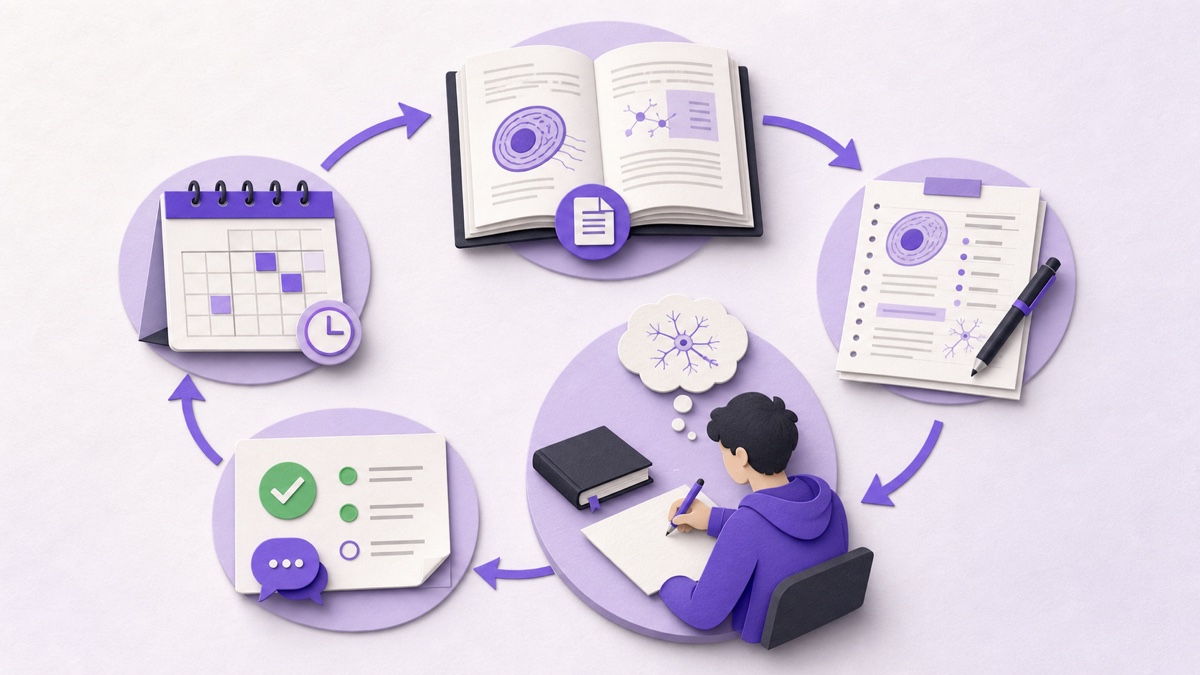
A better model: source, transform, retrieve, check, repeat
Use this five-step loop with either type of AI.
Step 1: Source
Start with material your course recognises. In the US, that may include the course syllabus, professor’s slides, assigned chapters, review sheet, lab manual, and official practice tests. In the UK, include the awarding body specification, teacher materials, set texts, formula sheets, past papers, and mark schemes.
Step 2: Transform
Turn the source into a useful format: a concise outline, concept table, flashcards, timeline, formula list, or sequence of steps. Check that the transformation did not remove exceptions or add unsupported facts.
Step 3: Retrieve
Hide the answer. Respond from memory. For factual content, use short-answer questions before multiple choice when possible. For quantitative subjects, solve a fresh problem. For essays, plan a response from the question alone.
Step 4: Check
Compare your response with the source, a mark scheme, or reliable feedback. Mark specific gaps. “Wrong” is less useful than “forgot the second condition” or “used the rule but did not justify it.”
Step 5: Repeat
Return after a delay and use a slightly different question. The aim is flexible knowledge, not memorising the order of one quiz.
How to compare tools before trusting your revision to one
Do not choose by the homepage alone. Run the same small test in each tool.
- Choose a representative source. Use five to ten pages containing headings, definitions, a table, and at least one difficult explanation.
- Check ingestion. Does the tool preserve the title, sections, symbols, and key terms? Can you tell what it actually processed?
- Generate notes. Look for accuracy, coverage, useful structure, and clear distinction between central and supporting ideas.
- Generate ten questions. Check whether answers are hidden, options are plausible, correct letters vary, and explanations match the source.
- Ask a source-specific question. Request the relevant section or evidence. A confident answer without support is a warning.
- Leave and return. Can you find the study set, your progress, and missed items without rebuilding the session?
- Inspect privacy and controls. Know what happens to uploads, how deletion works, and whether you can remove your data.
US exam revision: when each tool fits
High school and AP courses
A study tool is useful for organising class notes, textbook sections, vocabulary, and unit practice. Use official course frameworks and teacher material to define scope. A chatbot helps when you need a concept explained at a different level or want a new example. For AP free-response work, use released questions and scoring guidance as the final reference rather than an AI-created score.
SAT, ACT, and other standardised tests
General explanations help when you do not understand why an option is wrong. Structured tools help sort errors by type and turn rules into repeat practice. Official practice material should remain the anchor. Do not let generated questions replace exposure to the wording and timing of the real test.
College midterms and finals
Course-specific content matters more than generic coverage. Upload the professor’s learning objectives, slides, readings, and review guide where permitted. Use a study set for cumulative review and a chatbot for office-hours-style questions. If a professor has an AI policy, follow it even for ungraded preparation.
Professional and licence exams
Accuracy and currency become more important. Use official outlines, approved references, and current regulations. AI can create recall prompts and explain relationships, but it should not be the authority for legal, medical, financial, safety, or compliance answers.
UK exam revision: when each tool fits
GCSE and A level
Begin with the exact awarding body specification. A study AI tool can convert each specification point into notes and practice, while a chatbot can explain difficult ideas or question your reasoning. Past papers and mark schemes are essential because command words and assessment objectives shape what earns marks.
University modules
A structured tool helps combine weekly readings, lecture material, and seminar notes. A chatbot is useful for testing an argument, explaining terminology, or simulating a viva-style conversation. Check institutional guidance before uploading restricted readings, unpublished research, personal data, or assessment material.
Coursework and assessed work
Revision support and authorship are not the same. Ofqual’s 2026 guidance warns that using AI to generate coursework without proper disclosure can be malpractice. Keep a record of permitted use, follow the centre’s rules, and make sure the submitted reasoning and writing are genuinely yours.
The UK Department for Education also stresses safe, effective, and age-appropriate use. Product convenience does not remove the need to think about privacy, safeguarding, intellectual property, and cognitive development.
Subject-by-subject recommendations
Biology and medicine
Use a study tool for terminology, processes, labelled relationships, and repeated recall. Ask a chatbot to explain mechanisms at several levels: simple overview, formal account, then clinical or experimental example. Verify details against current course resources. Avoid trusting generated medical guidance beyond the learning context.
Chemistry
Use structured question sets for definitions, reaction conditions, trends, and calculations. A chatbot can walk through an unfamiliar problem, but ask it to expose one step at a time so you still make decisions. Check equations, units, significant figures, and assumptions.
Physics
A study tool can organise formulae by meaning and conditions, not just symbols. Use a chatbot for intuition and alternative derivations. Then solve without hints. If the AI performs every algebraic step, you may understand the explanation while remaining unable to produce the method under time pressure.
Mathematics and statistics
Choose tools that generate new problems and accept worked answers. Flashcards help with definitions and conditions, but problem solving needs variation. A chatbot is valuable for diagnosing where a solution went wrong. Ask for a hint before asking for the full solution.
History
Use a study set for chronology, people, evidence, themes, and competing interpretations. Use a chatbot to challenge causal claims or ask what evidence would weaken an argument. Verify quotations and dates. Fabricated quotations are especially damaging because they can look plausible.
English literature and language
A structured tool can organise themes, passages, techniques, contexts, and your own interpretations. A chatbot can act as a critical reader, but it should not replace close reading. Keep quotations tied to the primary text and edition. Practise building an argument from a fresh prompt rather than memorising a generated essay.
Law
Use a study workspace to connect rules, authorities, facts, exceptions, and application. Ask a chatbot to generate a hypothetical that changes one fact at a time. Always verify cases, citations, dates, and jurisdiction. General AI should never be treated as a legal database.
Computer science
Use flashcards for concepts and a test mode for tracing, complexity, architecture, and theory. A chatbot can explain code and generate exercises. Type the solution yourself, test it, and explain why it works. Copying a working answer is not the same as being able to produce or debug it in an exam.
Languages
Chatbots are excellent for conversation, correction, role-play, and changing difficulty. Study tools are useful for saved vocabulary, grammar patterns, listening notes, and spaced practice. Ask for corrections that explain the rule, not only a rewritten sentence.
Business and economics
Use a study tool for models, definitions, diagrams, calculations, and case evidence. Use a chatbot to test assumptions or compare how a model behaves under different conditions. Separate theory from current facts, and verify statistics with an authoritative source.
Prompts that make a chatbot behave more like a study tool
If you only have a general chatbot, give it a learning protocol. Replace the brackets with your information.
Use only the source I provide. Ask me [15] short-answer questions, one at a time. Do not show the answer before I respond. After each response, say what is correct, what is missing, and which part of the source supports the feedback. Keep a list of weak topics and retest them at the end.
Act as an examiner for [course/exam]. Use the learning objectives below. Give me one question at [difficulty] level. Wait for my answer. Apply this rubric: [rubric]. Do not rewrite my answer immediately; first ask one question that helps me improve it.
I will show a problem and my working. Do not give the final answer first. Identify the earliest step that needs attention, give one small hint, and wait. Check units and assumptions. At the end, ask me to solve a similar problem without help.
Answer only from the uploaded material. If the source does not support a claim, say “not found in the provided source.” Distinguish direct source statements from your explanation. List the heading or page reference used.
These prompts reduce common problems, but they do not provide persistent progress, a saved question map, or automatic organisation. That is where a dedicated study AI tool remains more convenient.
A seven-day exam revision workflow
Day 1: map the exam
List modules, learning outcomes, question types, dates, and permitted materials. Mark each topic red, amber, or green using evidence: a recent practice answer, not a feeling. Upload or organise the trusted material into study sets. Keep sets small enough to understand—one unit or coherent topic rather than an entire degree.
Day 2: build the core notes
Generate or draft a concise set of notes for the first priority topics. Check definitions, formulae, dates, conditions, and exceptions against the source. Add your own examples. If the notes feel polished but vague, they are not finished.
Day 3: retrieve
Use short-answer questions and flashcards. Answer before revealing anything. Label errors precisely. Turn missed ideas into a small review deck. Ask the chatbot for a different explanation only after making a genuine attempt.
Day 4: apply
Move from recall to exam-style use. Solve problems, analyse a source, plan essays, or produce timed paragraphs. Compare with the official rubric or mark scheme. Ask AI to explain the feedback, not to erase the attempt.
Day 5: mix topics
Interleave questions from several units. Exams rarely present a chapter in textbook order. Mixed practice helps you identify which method or idea applies. Use a test mode or ask the chatbot to alternate topics without announcing the category.
Day 6: simulate
Complete a timed section with normal exam constraints. No AI assistance during the attempt. Afterwards, use the study tool to record weak topics and the chatbot to unpack difficult feedback. Make a final repair list.
Day 7: repair and rest
Review the smallest useful set: common errors, essential facts, key processes, and decision rules. Do a few successful retrievals, prepare logistics, and stop at a sensible time. Exhaustion is not proof of preparation.
Accuracy, privacy, and academic integrity
Check claims that matter
AI systems can produce fluent mistakes. Verify high-stakes facts with your course source or an authoritative publication. Be especially careful with quotations, citations, case names, drug information, current regulations, numerical data, and “official” exam rules.
Do not upload material you are not allowed to share
Before uploading, consider copyright, personal data, confidential research, assessment security, and institutional policy. Remove names and identifying details where possible. Read the tool’s privacy information and deletion controls.
Keep authorship clear
Using AI to revise is different from submitting AI output as your work. Follow the rules for your school, university, awarding body, test provider, or professional organisation. When disclosure is required, disclose. When AI is prohibited, do not use it for that task.
Protect your thinking
UNESCO’s guidance supports a human-centred approach to generative AI in education. A useful practical interpretation is that AI should extend student agency, not quietly replace it. You should still choose the claim, test the idea, make the attempt, evaluate the feedback, and own the final work.
Decision checklist: which should you use?
Choose an AI study tool as your main workspace if:
- You have several files, lectures, or units to organise.
- You want notes, flashcards, quizzes, tests, and a tutor in one place.
- You need saved progress and a clear record of weak topics.
- You revise over days or weeks rather than in one conversation.
- You want practice to stay grounded in your own study material.
Choose a general AI chatbot first if:
- You need one quick explanation or example.
- You are exploring a topic before building a study set.
- You want open-ended conversation or role-play.
- You are comfortable creating prompts and tracking outputs yourself.
- Your task does not require persistent progress or source organisation.
Use both if:
- You want a structured revision base plus flexible follow-up questions.
- You keep the course source as the authority.
- You convert explanations into unaided recall or application.
- You understand the privacy and academic-integrity rules for both tools.
Our verdict
For exam revision, the AI study tool wins as the default because revision is a system, not a single answer. The winning features are not flashy prose or instant summaries. They are source organisation, hidden-answer practice, feedback, saved progress, weak-area review, and a clean route back into the material.
The chatbot still earns a place. Use it when the structured workflow reaches a question it cannot explain well, when you need a fresh analogy, when you want to test an argument, or when conversation itself is the practice.
The best setup is therefore simple: keep your syllabus and revision cycle in the study tool; use the chatbot as a flexible tutor inside clear boundaries. Then close both and prove that you can answer on your own.
A deeper feature scorecard for serious exam preparation
A feature list tells you what a product claims to do. A scorecard tells you whether those features help when revision becomes busy, cumulative, and slightly stressful. Use the questions below before committing an entire term’s material to any platform.
| Area | What good looks like | Warning sign |
|---|---|---|
| Source grounding | The answer can be traced to your uploaded material or a named trusted source | The tool sounds certain but cannot show where the claim came from |
| Coverage | Important sections, definitions, exceptions, and examples survive the conversion | The output is smooth but skips difficult or less obvious material |
| Question quality | Questions vary in difficulty, test useful distinctions, and avoid accidental clues | Most questions test surface facts or repeat the same template |
| Answer control | Answers stay hidden until the student commits to a response | The correct answer is highlighted before an attempt |
| Feedback | Feedback identifies what was right, what was missing, and how to improve | The tool only says correct or incorrect |
| Progress | Attempts, weak topics, skipped items, and repeat sessions remain available | A completed session disappears or resets without a clear choice |
| Exam alignment | You can set the subject, level, question count, response type, and relevant rubric | Every course receives the same generic quiz style |
| Editing | You can correct, highlight, reorganise, and save notes without losing formatting | Generated content is effectively read-only or edits vanish later |
| Export and access | You can return to material, download useful outputs, and understand account limits | Your revision becomes trapped behind an unclear plan or temporary session |
| Privacy | Data handling, deletion, retention, and training use are explained plainly | The product asks for sensitive material without meaningful controls |
| Accessibility | Keyboard use, readable contrast, adjustable type, and calm motion are supported | Core actions rely on tiny controls, colour alone, or distracting animation |
| Reliability | Long files, refreshes, and return visits preserve the expected state | Progress stalls, saved work changes, or the same action gives unexplained errors |
No tool will score perfectly in every category. Decide which weaknesses you can manage. A student preparing for a short vocabulary test may accept limited progress tracking. A student revising a full professional syllabus should care much more about source coverage, persistence, and auditability.
Match the AI to the stage of learning
“Which tool is better?” becomes easier when you ask, “Better for which stage?” Revision changes from first contact to final performance. The same interface should not dominate every stage.
Stage 1: first understanding
At the beginning, you are trying to build a mental model. A chatbot is strong here because you can interrupt, ask for a simpler version, request an analogy, or compare two ideas. A study tool can also help if its tutor stays grounded in the source. The danger is accepting the first easy explanation as complete. Ask what the explanation leaves out and then return to the course material.
Stage 2: organising knowledge
This is where a structured workspace pulls ahead. Topics need names, relationships, and boundaries. Notes, headings, mind maps, and linked files help you see the shape of the course. The goal is not to decorate information. It is to know where each idea belongs and how it connects to the syllabus.
Stage 3: strengthening memory
Flashcards, short-answer prompts, closed-book summaries, and quick quizzes become useful. A study tool reduces the effort of creating and repeating these activities. A chatbot can run the same routine, but you must insist that it hides answers and remembers which areas need another attempt.
Stage 4: applying knowledge
Now the task changes. You need unfamiliar problems, mixed topics, case application, source evaluation, essay planning, or data interpretation. A chatbot can generate useful variations and question your reasoning. A good test mode can provide structure and timing. Whichever tool you choose, make the attempt before receiving the model answer.
Stage 5: exam simulation
AI should move to the edge of the session. Use authentic timing and normal exam conditions. Complete the paper without hints, conversational rescue, or instant correction. Bring AI back during review: classify mistakes, explain a mark scheme, generate a similar problem, and plan the next short repair session.
This staged approach prevents a common mistake: using the tool that feels nicest instead of the activity that the current learning problem requires.
How to judge AI-generated notes
Students often judge notes by appearance. Clean headings, bold terms, and tidy tables are helpful, but they do not prove that the notes are complete. Use a five-part check.
Coverage
Compare the output with the source outline. Are all major sections present? Has the tool ignored material near the end of a long document? Are diagrams, tables, captions, or examples carrying information that disappeared during extraction? For a large source, sample the beginning, middle, and end.
Accuracy
Check names, numbers, definitions, formulae, dates, conditions, and exceptions. Look closely at material that AI systems often flatten: “may” versus “must,” correlation versus causation, necessary versus sufficient conditions, and a general rule versus its exception.
Structure
A good note set reflects the logic of the topic. It should separate definitions from examples, causes from effects, claims from evidence, and steps from outcomes. Twenty unrelated bullet points are not automatically structured notes.
Usefulness for retrieval
Can a heading become a question? Can a process be covered and recalled? Can a comparison be reconstructed from memory? Notes should support an action. If they can only be reread, add prompts in the margin or convert important sections into questions.
Student ownership
Add something the AI could not know: your teacher’s emphasis, a mistake you often make, a class example, a memory cue, a link to an earlier unit, or a question you still need to resolve. That small layer turns a generic output into your revision resource.
How to judge AI-generated flashcards
More cards are not always better. A large deck can create the feeling of productivity while burying the important material. Review a sample before studying the whole set.
- One card, one main retrieval: a card asking for five unrelated facts is hard to grade and hard to improve.
- No accidental answer clues: avoid wording, grammar, or option length that reveals the answer.
- Enough context: “What is the result?” is meaningless when the card appears later on its own.
- Useful direction: prompts should tell you whether to define, compare, explain, calculate, list, or apply.
- Short but complete answers: the answer should be practical to check without removing an essential condition.
- Balanced difficulty: mix foundational facts with relationships and decisions.
- Editable content: correct weak cards before they teach the mistake repeatedly.
For essay subjects, do not turn every paragraph into a fact card. Include cards that ask for a line of argument, two pieces of evidence, a counterargument, or the limits of an interpretation. For quantitative subjects, cards can support formula meaning and method choice, but they should sit beside full problems.
How to judge AI-generated quizzes and tests
A multiple-choice quiz can be completed quickly, which makes it attractive. It can also be badly designed in quiet ways. Check whether correct letters are distributed across A, B, C, and D. Look for distractors that reflect real misconceptions rather than random nonsense. Make sure the correct answer is not longer, more precise, or more carefully written than every other option.
Do not rely on recognition alone. Add short-answer and extended-response questions. Recognition asks, “Which answer looks familiar?” Recall asks, “Can I produce the idea?” Application asks, “Can I use it here?” An exam may require all three.
For a written test, define what a good response needs before answering. Use an official rubric when one exists. When one does not, create a simple checklist: key concept, accurate explanation, relevant evidence, application to the question, and clear conclusion. AI feedback is more useful when it checks visible criteria instead of giving a vague score.
What a good AI tutor should do
A tutor is not helpful merely because it can produce a long answer. A strong AI tutor supports the next piece of thinking.
- Ask what you already understand. This avoids repeating the obvious and reveals the real gap.
- Use the relevant source. Course-specific answers should stay anchored to the material you are assessed on.
- Offer graduated help. Start with a cue, then a hint, then a worked step, and only then a full explanation.
- Check the result. After explaining, ask you to restate, apply, compare, or solve.
- Admit uncertainty. “I cannot confirm that from the provided source” is more useful than a polished invention.
- Keep formatting readable. Short paragraphs, meaningful headings, simple equations, and clear tables help. Decoration should not overwhelm the idea.
Real-time streaming can make the interaction feel quicker, but speed is not the same as teaching quality. The answer should still be coherent when it finishes. If the tutor streams an uncertain claim, pause and verify rather than treating the moving text as evidence of confidence.
Cost and value: free study tool or paid plan?
Students do not need the most expensive model or the longest feature list. They need a workflow they will use. Begin with the free plan and test the real constraints: number and size of uploads, pages processed, questions generated, saved history, AI tutor messages, export options, and daily limits.
A paid plan may be worthwhile when it removes a bottleneck that affects revision every week. Examples include processing a full module, saving several study sets, generating enough practice for a large exam, or returning to long-term progress. Paying only for a model name is less useful if the product still loses context or produces weak questions.
Calculate value in time and learning, not tokens. If a tool saves twenty minutes of setup but encourages an hour of passive reading, it has not necessarily improved the session. If a simple tool gets you into a focused fifteen-minute recall round, that may be the better purchase.
Accessibility and different ways of learning
AI can make material easier to access, but “personalised” is not automatically accessible. Students may need adjustable text size, keyboard navigation, screen-reader labels, captions or transcripts, reduced motion, high contrast, dyslexia-friendly spacing, or a calm reading view. Core tasks should not depend on colour alone.
A chatbot can rephrase a dense paragraph, turn text into steps, define unfamiliar words, or provide another example. A study tool can preserve these adjustments across a saved set and offer multiple practice formats. The right choice depends on which barrier is present.
Be careful with learning-style claims. Preferring a diagram does not mean you should only study visually. Exams still require the form of performance being assessed. Use different representations to understand, then practise the actual response: writing, calculating, speaking, interpreting, or recalling.
Common failure modes—and how to repair them
Failure 1: the perfect summary trap
You generate beautiful notes, read them twice, and feel prepared. Repair it by converting each main heading into a closed-book question. Mark what you could produce, not what looked familiar.
Failure 2: endless regeneration
You keep asking for “better notes” instead of studying the existing set. Repair it by allowing one quality check and one correction pass. Then start recall. Regenerate only when there is a specific coverage or accuracy problem.
Failure 3: asking before attempting
The chatbot becomes the first move whenever a question looks difficult. Repair it with a two-minute attempt rule. Write known facts, choose a possible method, or identify the confusing step before asking for a hint.
Failure 4: one giant upload
An entire textbook becomes one vague set. Repair it by splitting material into coherent units with clear names. Keep a separate cumulative set for mixed review later.
Failure 5: trusting a generated citation
The reference looks academic, so it enters the notes. Repair it by opening the source, checking that it exists, confirming the author and date, and reading the relevant passage. If you cannot verify it, do not use it as evidence.
Failure 6: practising only favourite topics
The dashboard fills with strong scores while weak areas remain untouched. Repair it by scheduling the next session from error data. Begin with one weak topic before returning to comfortable work.
Failure 7: treating an AI score as an official mark
The model gives an essay 82%, but the real course uses different criteria. Repair it by providing the official rubric and asking for criterion-by-criterion observations. Treat the result as feedback, not certification.
Failure 8: forgetting the exam’s physical reality
All practice happens with hints, tabs, and instant correction. Repair it with regular no-help sessions using the real time, tools, and response format.
A 30-day combined revision plan
This plan assumes an exam with several topics. Adjust the number of units, but keep the movement from organisation to retrieval, application, and simulation.
Days 1–3: scope and setup
Collect the specification, learning outcomes, course files, official guidance, and exam dates. Build named study sets by unit. Run a short baseline test without notes. Record weak areas and any topics that are completely unfamiliar.
Days 4–10: core understanding
Work through the highest-priority units. Use the study tool to create a first note structure. Check it against the source. Use the chatbot for specific blocks: “Explain why this step follows,” “Compare these terms,” or “Give one counterexample.” Finish every session with five minutes of recall.
Days 11–17: retrieval blocks
Use flashcards, fill-in prompts, short answers, and quick quizzes. Keep sessions short enough to stay honest. Classify errors: missing fact, confused concept, wrong method, careless execution, or misunderstood question. The label determines the repair.
Days 18–22: application
Move into mixed and exam-style questions. Ask the chatbot for hints only after an attempt. Use the study tool to save missed concepts and generate closely related practice. For essay subjects, write plans and timed paragraphs. For problem subjects, show full working.
Days 23–26: timed practice
Complete authentic sections or full papers. Review with official answers, mark schemes, exemplars, or rubrics. Use AI to clarify feedback and generate one transfer question for each meaningful error.
Days 27–29: targeted repair
Return to the smallest high-value list: recurring errors, slow methods, essential definitions, and topics with weak evidence. Avoid rebuilding everything. Retrieve, check, correct, and repeat.
Day 30: confidence through evidence
Complete a calm final check. Can you explain the course map? Can you answer a sample from each major area? Are your exam logistics ready? Stop at a sensible time. Confidence should come from completed attempts and corrected errors, not from another generated summary.
Recommendations for teachers and parents
Students may need help judging an AI workflow, especially when an answer sounds convincing. Ask process questions rather than only asking whether AI was used.
- Which source did the student use?
- What did they attempt before asking for help?
- How did they check the answer?
- Which mistake did the feedback reveal?
- What will they do without AI next?
- Does the school or exam provider permit this use?
A blanket “AI is good” or “AI is bad” misses the practical issue. The same tool can support retrieval in one session and replace thinking in another. Clear boundaries, visible sources, and unaided practice are more useful than trying to judge the technology by name alone.
The ideal combined workflow
If you have access to both tools, give each one a narrow job.
- Store and organise in the AI study tool. Build a study set from approved material and keep notes, practice, and progress together.
- Check the generated foundation. Correct missing or inaccurate content before repeat study.
- Practise inside the study tool. Use hidden-answer flashcards, quizzes, fill-in questions, and written tests.
- Escalate one confusion to the chatbot or tutor. Ask a focused question with enough source context.
- Return with a new attempt. Do not end on the explanation. Solve, retrieve, compare, or teach the idea.
- Save the learning, not the conversation. Add the corrected rule, example, or warning to the study set.
- Schedule the next review. Use the error to decide when and what to practise again.
This keeps the chatbot from becoming a pile of useful but disconnected conversations. It also keeps the study tool from becoming a static storage system. Together, they support a loop: source, organise, retrieve, explain, apply, review.
Frequently asked questions
Is an AI study tool the same as an AI chatbot?
No. An AI chatbot is a general conversation interface. An AI study tool is designed around learning workflows such as source-based notes, flashcards, quizzes, tests, mind maps, progress, and repeat review. Some study tools include a chatbot as one feature.
Which is better for exam revision?
A purpose-built AI study tool is usually better as the main revision workspace because it keeps material and practice together. A chatbot is better for flexible explanations and follow-up questions. Many students will benefit from using both in different roles.
Can a chatbot create good flashcards?
Yes, if you provide a reliable source and clear instructions. Check that each card tests one useful idea, answers are accurate, and cards do not reveal clues. A study tool makes saving, reviewing, and tracking those cards easier.
Can I trust AI-generated exam questions?
Treat them as practice, not official predictions. Check factual accuracy and alignment with your specification or learning objectives. Use official past papers to learn the real format, command words, timing, and mark scheme.
Will using AI improve my grades?
No tool can guarantee a grade. AI may reduce setup time and make effective practice easier, but improvement depends on the quality of your sources, the effort of retrieval, feedback, repeat review, and exam-style practice.
Is a free study AI enough?
It can be. Compare source limits, output quality, privacy, saved progress, and whether the free plan supports the study activity you need. A small reliable workflow is better than many features you never use.
Should I use AI to write my revision notes?
AI can produce a first structured draft, but you should check it against the source and add your own connections, examples, warnings, and questions. The act of correcting and reorganising the notes can itself support learning.
How do I stop AI from making me passive?
Follow every explanation with an unaided task. Hide the answer, retrieve the idea, solve a new problem, teach it aloud, or plan a response. If the AI does all the visible work, change the workflow.
Is it safe to upload lecture notes?
It depends on ownership, personal data, institutional rules, and the tool’s policies. Do not upload confidential, restricted, copyrighted, or identifying material without permission. Review privacy and deletion controls first.
What is the best AI prompt for exam revision?
A strong default is: “Use only this source. Ask one question at a time. Hide the answer until I respond. Give specific feedback, cite the supporting section, track weak topics, and retest them at the end.”
Can AI replace past papers?
No. Generated practice can increase variety, but past papers show the authentic format and standard. Use AI to prepare and diagnose; use official papers to calibrate.
What should I do if AI contradicts my teacher or textbook?
Pause and verify. For your exam, follow the current approved source and ask the teacher when the difference matters. Do not choose the AI answer simply because it sounds more confident.
Sources and further reading
- Karpicke and Blunt: retrieval practice produces more learning than elaborative studying with concept mapping
- UNESCO guidance for generative AI in education and research
- US Department of Education: Artificial Intelligence and the Future of Teaching and Learning
- UK Department for Education guidance on generative AI in education
- Ofqual resources on AI and coursework integrity